
Sydney Guides: Sydney for Students: The NSW Government provide
A comprehensive guide to Sydney for students, including universities, accommodation, and costs. Sydney is home to some of Australia's most prestigious.
7 min read

Before you move to a new address, you should check whether NBN is available at the new address and what type of connection is available. The type of NBN.

Guides Desk is a contributing writer covering guides and public affairs for The Sydney Times.
Before you move to a new address, you should check whether NBN is available at the new address and what type of connection is available. The type of NBN connection determines the maximum speed you can achieve. The main types are:
Fibre to the Premises (FTTP). FTTP is the fastest NBN connection, with speeds of up to 1 gigabit per second. FTTP is available in newer developments and in some established areas.
Fibre to the Node (FTTN). FTTN uses the existing copper telephone network to connect your home to the NBN. The maximum speed is 100 megabits per second, but the actual speed depends on the distance from your home to the node. FTTN is the most common NBN connection in Sydney.
Fibre to the Curb (FTTC). FTTC is similar to FTTN, but the fibre connection is closer to your home. The maximum speed is 100 megabits per second. FTTC is available in some areas of Sydney.
Hybrid Fibre Coaxial (HFC). HFC uses the existing cable television network to connect your home to the NBN. The maximum speed is 100 megabits per second. HFC is available in some areas of Sydney.
Fixed Wireless. Fixed wireless uses a wireless connection to connect your home to the NBN. The maximum speed is 50 megabits per second. Fixed wireless is available in regional and rural areas.
Satellite. Satellite uses a satellite connection to connect your home to the NBN. The maximum speed is 25 megabits per second. Satellite is available in remote areas.
To check whether NBN is available at your new address, use the NBN Co website. Enter your new address and the website will show you the type of NBN connection available and the maximum speed. The website also shows which providers offer services in your area.
If NBN is not available at your new address, you may be able to use 5G home internet or a mobile broadband service. Check with your provider for availability.
Once you have checked that NBN is available at your new address, you need to arrange for a connection. The following steps will help you connect NBN:
Step 1: Choose a provider. Choose an NBN provider that offers the speed and features you need. Compare plans on the iSelect website or the Compare Broadband website.
Step 2: Apply. Apply online or by phone. You will need to provide your personal details, your new address, and your preferred connection date. The provider will arrange the connection with NBN Co.
Step 3: Wait for the connection. The connection usually takes 2 to 5 business days, depending on the type of connection and the availability of technicians. If you are moving from a premises that already has an NBN connection, the connection may be faster.
Step 4: Install the equipment. A technician will visit your home to install the NBN equipment. The technician will install a modem and a router and test the connection. The installation usually takes 1 to 2 hours.
Step 5: Connect your devices. Once the NBN is connected, connect your devices to the router. The router will have a label with the Wi-Fi network name and password. Connect your computer, phone, and other devices to the Wi-Fi network.
On the day of the installation, the technician will arrive during the time slot you arranged. The technician will need access to the NBN connection point, which is usually located on the outside of your home. The technician will install a modem and a router and test the connection. The technician will also show you how to connect your devices to the Wi-Fi network.
If the technician discovers that the NBN connection is not working, they will arrange for a follow-up visit. The follow-up visit usually takes 2 to 3 business days.
The NBN equipment provided by your provider includes a modem and a router. The modem connects to the NBN network and the router creates a Wi-Fi network in your home. Some providers also provide a Wi-Fi extender if you have a large home.
If you want to use your own modem or router, check with your provider to see if it is compatible with the NBN. Some providers allow you to use your own equipment, while others require you to use their equipment.
If your NBN connection is not working, try the following troubleshooting steps:
Check the lights on the modem. The lights on the modem indicate the status of the connection. A green light indicates that the connection is working. A red light indicates that the connection is not working. Check the user manual for the meaning of the lights.
Restart the modem. Turn off the modem, wait 30 seconds, and turn it back on. Restarting the modem can resolve many connection issues.
Check the cables. Check that all cables are connected securely. The NBN cable, the power cable, and the Ethernet cable should all be connected.
Contact your provider. If the connection is still not working, contact your provider. The provider can run a remote diagnostic test and arrange for a technician to visit if necessary.
More information about connecting NBN is available at NBN Co and your NBN provider.
(End of file)
Direct inquiries, corrections, or documentation concerning this dispatch to our editorial newsroom desk.
A comprehensive guide to Sydney for students, including universities, accommodation, and costs. Sydney is home to some of Australia's most prestigious.

A comprehensive guide to Sydney for families, including schools, parks, and activities. The city offers an exceptional range of family-friendly destinations.

A comprehensive guide to moving to Sydney, including neighbourhoods, transport, and costs. The guide covers everything you need to know about relocating.
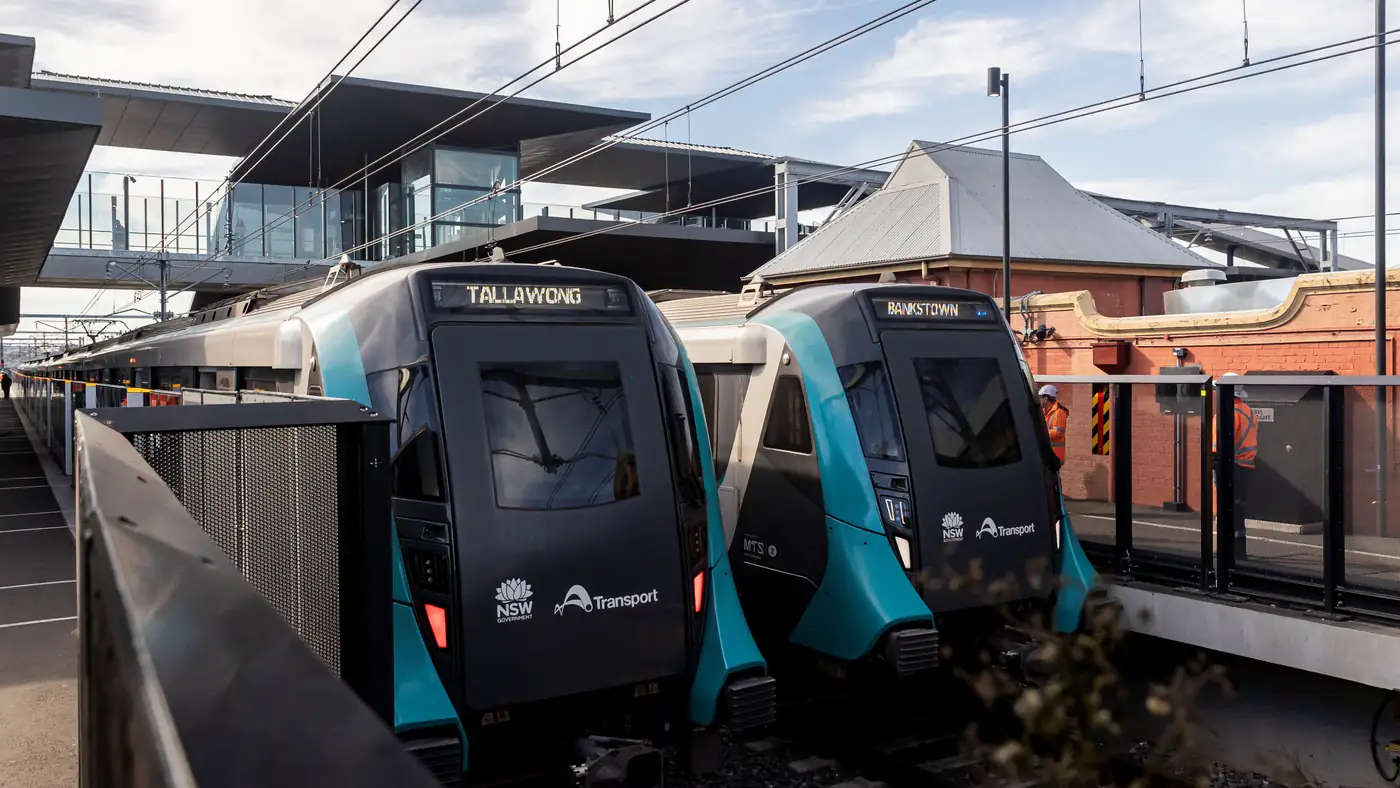
Complete guide to Sydney's Metro Southwest Bankstown line: timetable, fares, stations, Opal fares, parking, and commuter tips for the new line.