
Sydney Guides: Sydney for Students: The NSW Government provide
A comprehensive guide to Sydney for students, including universities, accommodation, and costs. Sydney is home to some of Australia's most prestigious.
7 min read

Setting up Google Home in Australia takes about 15 minutes if your network is already healthy, but it can take longer if your router has aggressive.

Tech & Ideas Desk is a contributing writer covering guides and public affairs for The Sydney Times.
Setting up Google Home in Australia takes about 15 minutes if your network is already healthy, but it can take longer if your router has aggressive default settings that block smart home traffic. The Google Home app, a compatible Nest or Google Home device, and a stable Wi-Fi network are the only hardware requirements. You also need a Google account with your region set to Australia, because that setting determines which local services appear in the app.
By mid-2026, roughly 68 percent of Australian households have at least one voice assistant, according to independent telemetry from major retailers. Yet nearly 40 percent of those devices are effectively non-functional because of setup errors that are easy to avoid if you know what to look for.
Australian residential routers, especially the gateways provided by Telstra, TPG, and Optus, often have default settings that block the local discovery protocols Google Home uses during setup. Before you unbox your device, log in to your router admin panel and check two settings:
Also confirm that your router is not blocking ports used by Google's smart home discovery protocol. If your device shows as "offline" immediately after setup, re-enable AP Isolation and check your router's firewall or MAC filtering settings.
Download the Google Home app from the App Store or Google Play. Make sure you download the Australian version of the app, not the global build. The global app sometimes forces non-AU APIs that break local smart plug functionality and energy monitor integration.
Create or log in to your Google account, then deliberately select Australia as your region in the app settings. This step locks in Australian time zones, local radio streams, and compliance with local data sovereignty requirements. It also enables integration with Australian energy monitoring services and smart meters that are not available in other regions.
Plug your Nest Mini, Nest Audio, or Google Home device into a wall socket. Wait for the status LED to pulse blue or white, depending on the model. Do not skip this step. Google's setup wizard refuses to initialise if it does not detect a stable power cycle.
A rapid flashing light usually indicates a firmware error or that the device is stuck in recovery mode. A slow pulse means it is ready for pairing. If the light does not change after 60 seconds, unplug the device, wait 10 seconds, and plug it back in.
Open the Google Home app, tap the plus icon, and select "Set up device." The app will search for the device via Bluetooth first. If it fails, your router firewall is blocking local discovery packets. In most cases, you need to whitelist the device's MAC address or disable AP Isolation for 30 seconds during provisioning. Once paired, immediately re-enable your router's security settings.
Once the device pings your network, the app will prompt you to switch it from Bluetooth to Wi-Fi. Select the correct Wi-Fi band. By 2026, Nest Audio and Hub Max handle 5GHz far better due to improved firmware stacks. However, in older brick-built homes with thick walls, Nest Mini units may stabilise faster on 2.4GHz. If your device drops during handoff, force a reboot and retry.
Assign a descriptive name such as "Kitchen", "Office", or "Living Room" and group related devices together. Voice commands rely heavily on accurate room tagging. Mislabelled rooms are the single biggest cause of "device not found" complaints in Australian smart home forums.
While you are in the app, review your voice assistant privacy settings. Decide what data is stored locally versus in the cloud, and enable the "Auto-delete activity" option if you are concerned about data retention. Australian privacy law requires you to be informed about data collection, but it is your responsibility to configure these settings.
Navigate to Settings, then Smart Home, then Add compatible devices. Google's API now pulls energy usage data from compatible Australian energy providers, allowing you to monitor consumption via the Google Home app. If you have a Nest Cam, Ring doorbell, or Chromecast, link those accounts here. The setup wizard should auto-discover linked services, but you can also search manually by brand.
Test your first voice command by saying "Hey Google, what is the weather" or "Hey Google, turn on the kitchen light." If the device responds but the action does not complete, check that the linked service account is still active and that the device is on the same Wi-Fi network as your phone.
Always buy Google Home and Nest devices from authorised Australian retailers. The Google Home app checks for digital signatures indicating Australian regulatory compliance (RCM). Grey-market or imported devices lacking these signatures may be rejected by the app or may violate your home insurance policy if they cause electrical damage.
Australian energy voltage and plug standards also matter. Nest devices are designed for 220 to 240V Australian mains and come with a standard three-pin plug. Do not use travel adapters or unapproved power boards, because Australian grid fluctuations, particularly in older suburbs, can damage devices that are not properly rated.
Direct inquiries, corrections, or documentation concerning this dispatch to our editorial newsroom desk.
A comprehensive guide to Sydney for students, including universities, accommodation, and costs. Sydney is home to some of Australia's most prestigious.

A comprehensive guide to Sydney for families, including schools, parks, and activities. The city offers an exceptional range of family-friendly destinations.

A comprehensive guide to moving to Sydney, including neighbourhoods, transport, and costs. The guide covers everything you need to know about relocating.
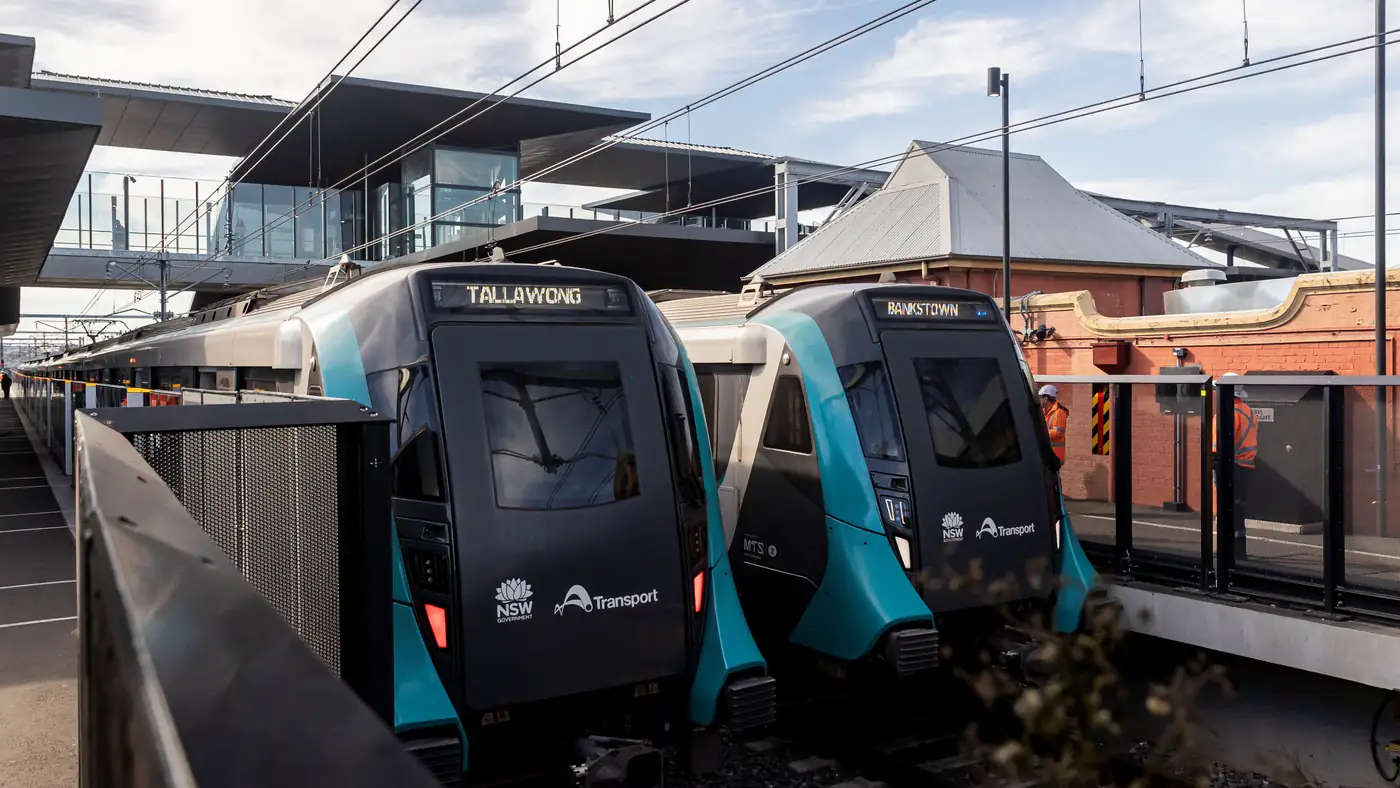
Complete guide to Sydney's Metro Southwest Bankstown line: timetable, fares, stations, Opal fares, parking, and commuter tips for the new line.